Vesper AI
A personal AI agent for Windows. You say what you want; it plans the work, hands it to AI builders like Claude Code, reviews what they make and reports back.
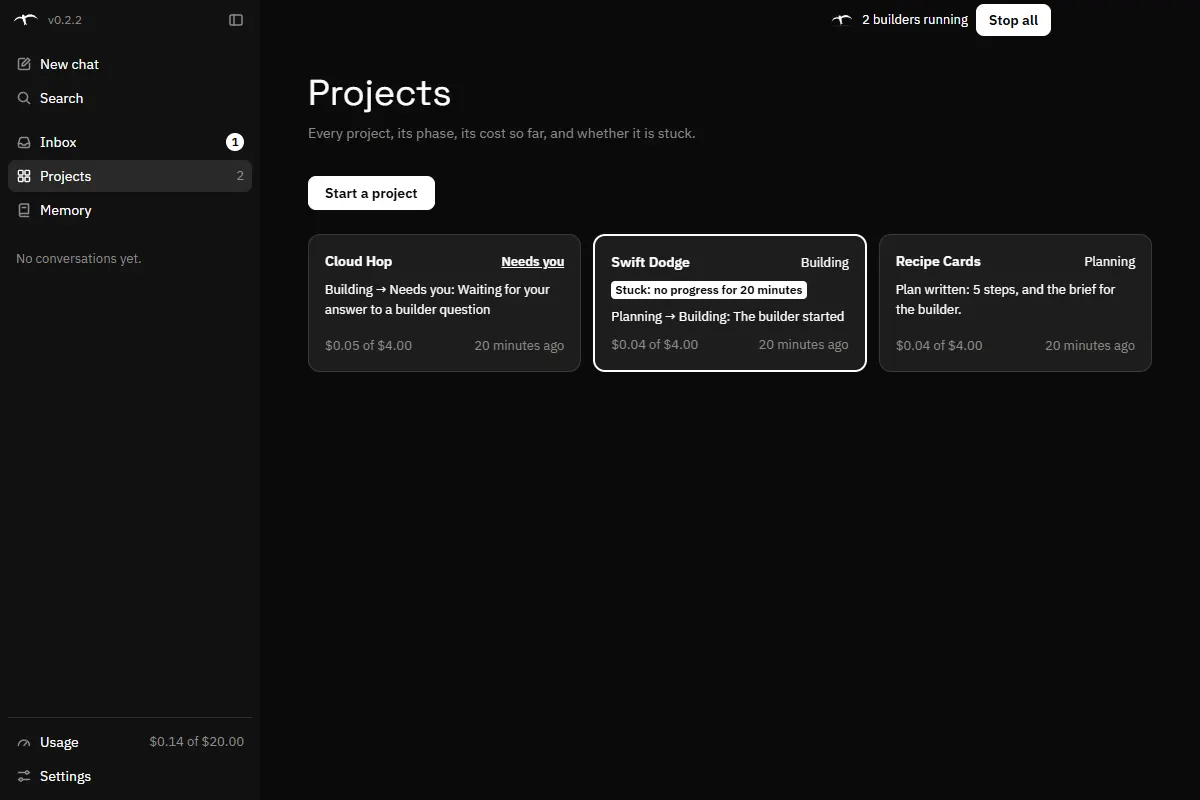
Screens are from the real app, captured by its own end-to-end tests with a mock API, a stand-in builder and demo projects.
Overview
The product
Vesper is an Electron app that acts as a chief of staff for AI agents. It turns a request into a charter and a step plan, writes the brief, runs Claude Code as the builder, answers its routine questions, and reviews the result by running the build, the tests and the app itself. Every project ends with a plain report: what was built, how to run it, what it cost and what Vesper would do next.
The hard part
AI agents can build almost anything, but someone still has to brief them, answer them and check their work. Handing that job to software means letting it run other agents on a real PC, so it has to be safe by default: nothing leaves the project folder, nothing is published and nothing is spent without asking.
“Say it. Vesper does the rest.”
Vesper docs/BRAND.md
How it works
A charter before any code
Vesper asks only the questions it can’t answer itself, all at once, then writes a charter: the goal, what “done” means, the constraints and a budget in money and time. You approve it, or tell it to just go.
docs/PRODUCT.md, the core loop
A policy engine around the builder
Every file write and shell command the builder tries passes one check first. Paths outside the workspace are refused, and actions like
npm publishwait in the Inbox for an Approve or Deny.Status 2.3, policy engine and approvals
Reviews it doesn’t take on trust
When the builder says done, Vesper runs the checks, reads the diff, play-tests the result and screenshots it, then sends back a numbered list of fixes until the definition of done is met or the budget runs out.
Status 2.6 and 3.1 to 3.3
One switch stops everything
Stop all in the title bar, or a global hotkey, ends every builder and every process it started, and nothing outlives a stop.
Status 2.3f to 2.3h, 2.5c
The key stays sealed
The Anthropic API key is entered in Settings, kept in an encrypted store and never written to a file. The builder reaches the API through a proxy with a session token, not the key itself.
Status 1.2a, D154
Screens
06
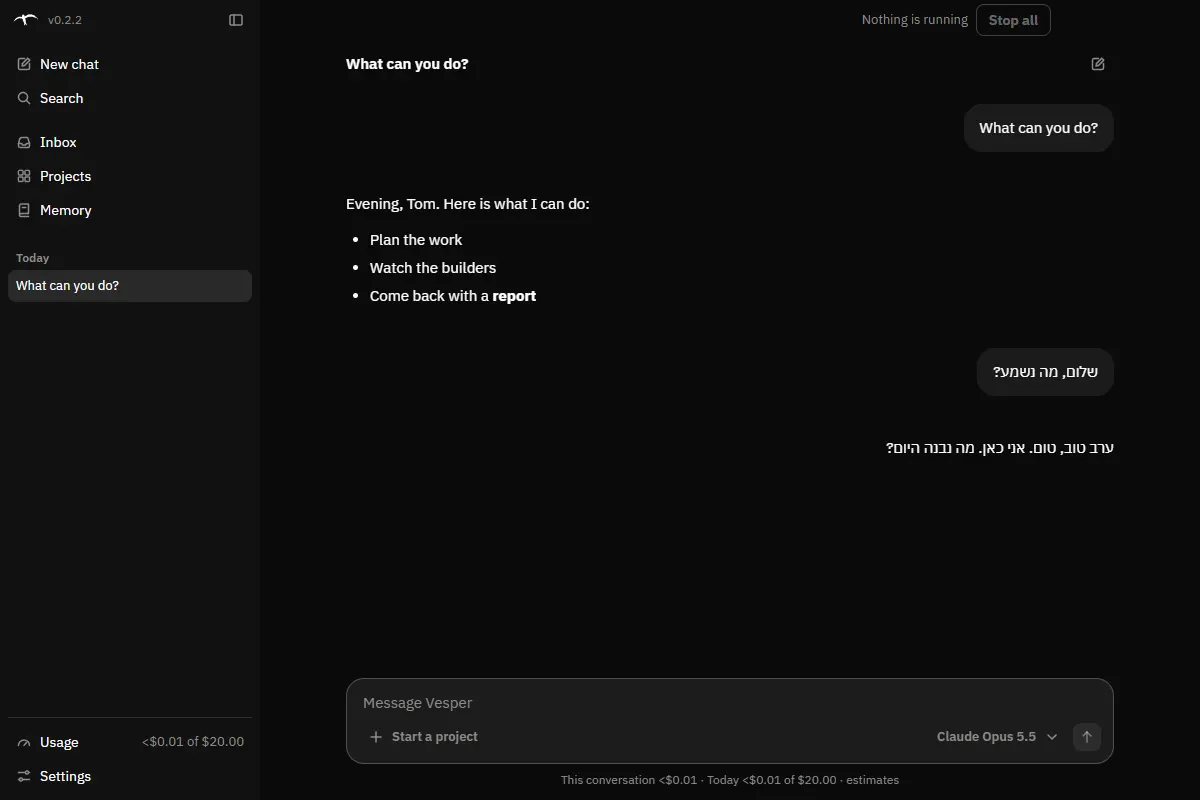
01Chat, in English or Hebrew.
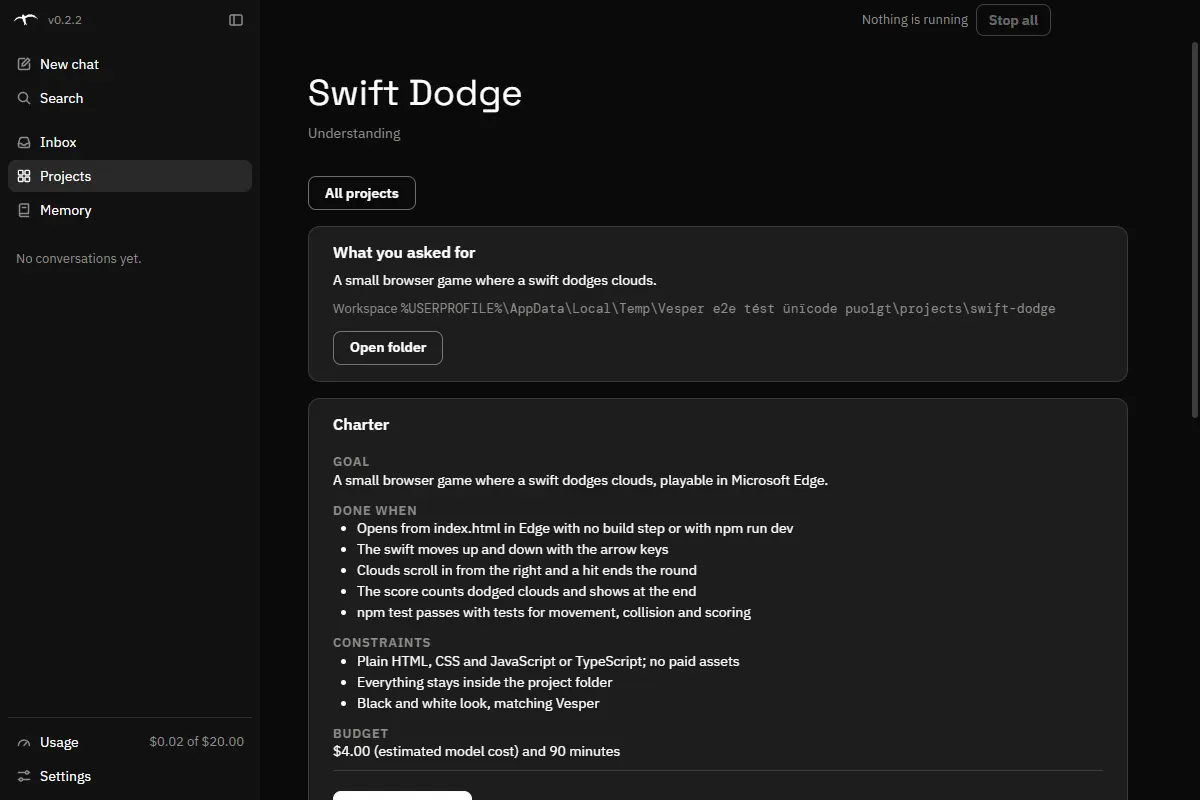
02The charter: what done means, and the budget.
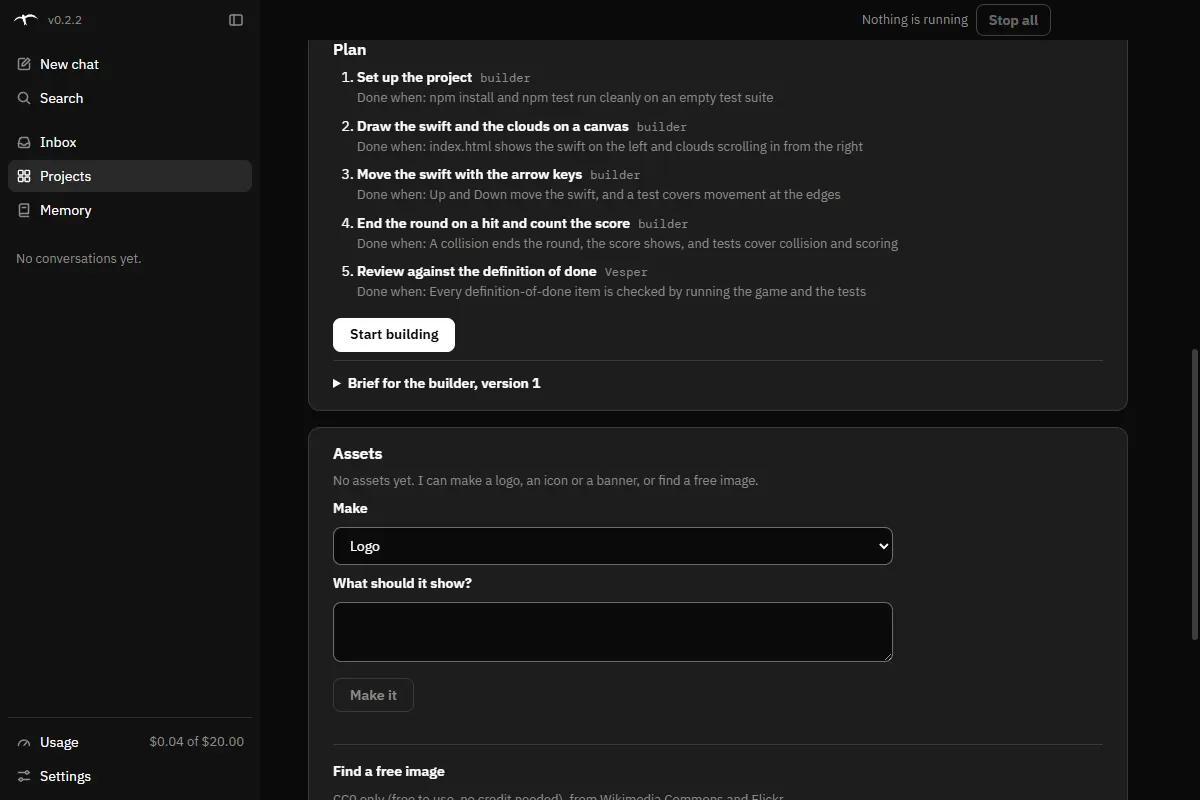
03The plan, step by step, before building starts.
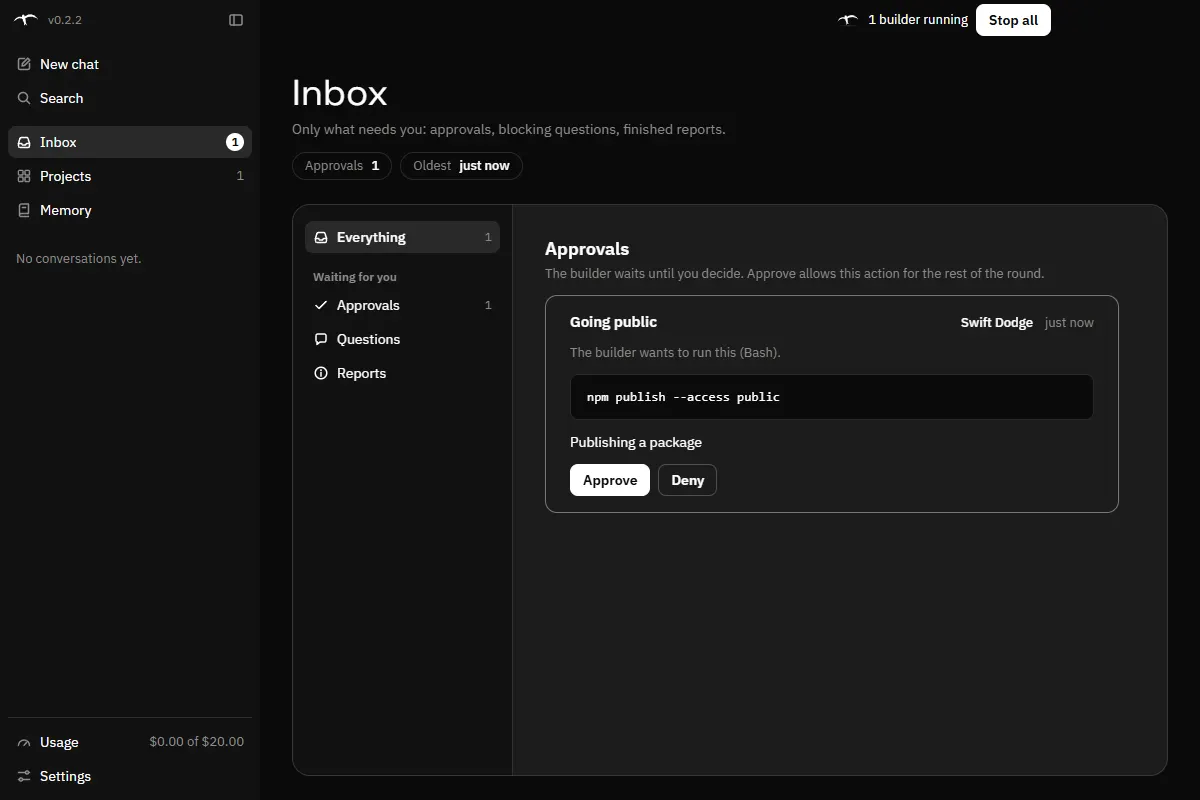
04Anything risky waits for a human.
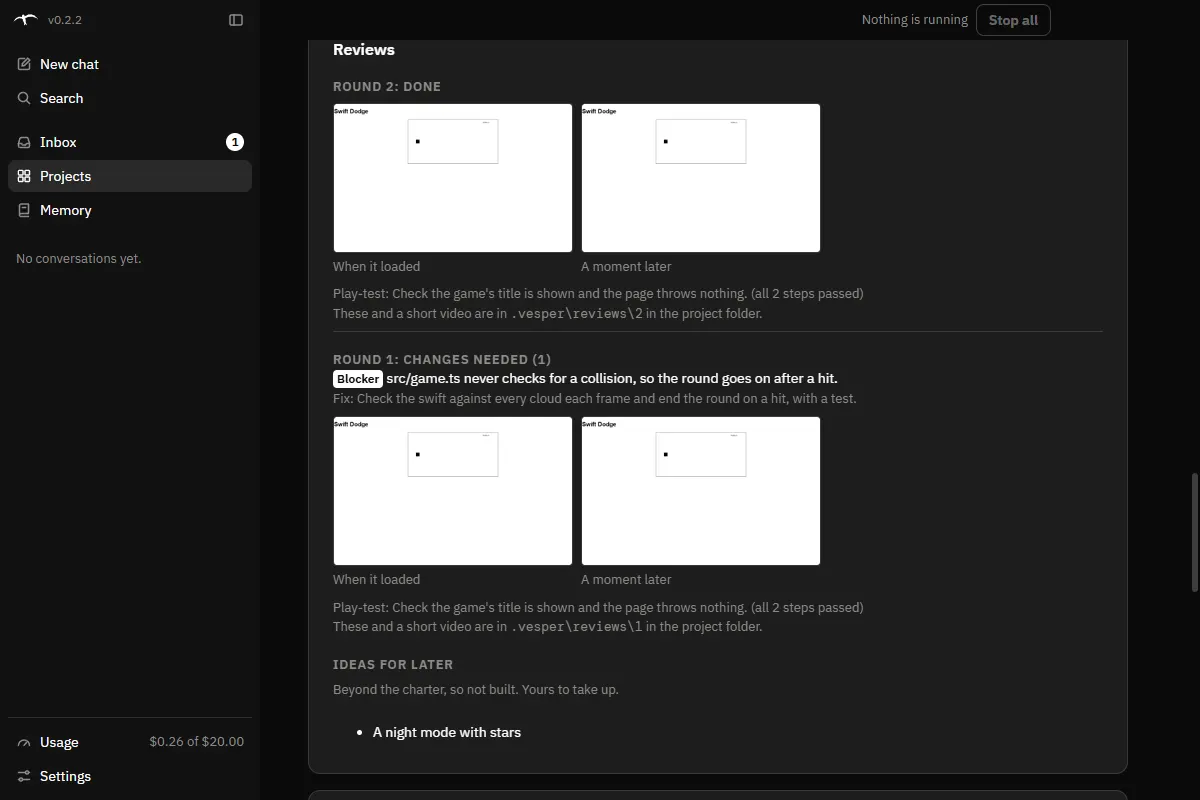
05Two review rounds: a blocker found, then fixed.
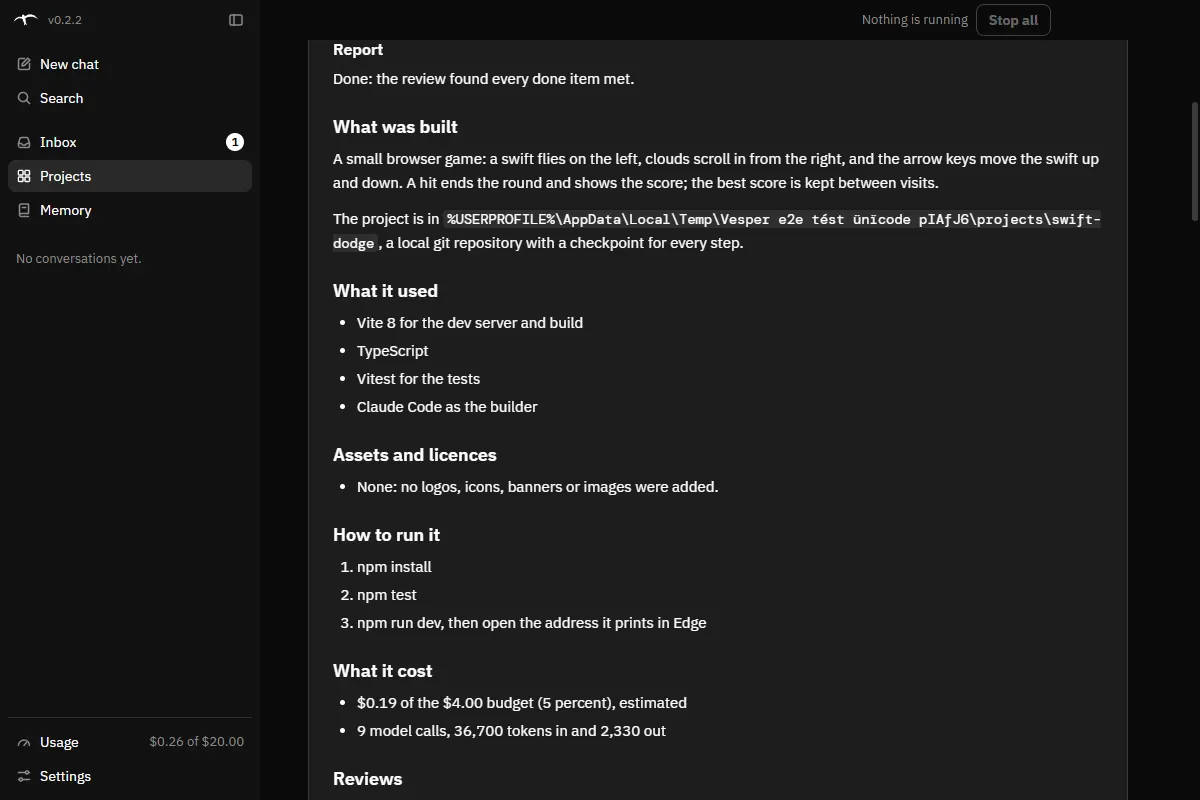
06The report at the end of a project.
Details
Built with
- Electron
- React 19
- TypeScript
- Claude Agent SDK
- Anthropic API
- SQLite (better-sqlite3)
- Zustand, Zod
- Vitest, Playwright
About these screens
- Screens are from the real app, captured by its own end-to-end tests with a mock API, a stand-in builder and demo projects.
- The code is in a private repository, so this page describes it at README level.